
Request More Information

Email:  WhatsApp:

koenig-logo

Master Windows 11 Certification

Master Windows 11 features like Snap Layouts and security tools. Our Microsoft-partnered training provides hands-on labs to build proficiency and prepare for the MD-102 exam through expert-led instruction.

Browse Courses
certified professional certified professional certified professional certified professional certified professional

500K+ certified professionals

Trusted by enterprise teams at 500+ global companies
From Fortune 500 enterprises to fast-growing tech firms — Koenig alumni are everywhere
Google
Microsoft
Adobe
Dell
HP
Infosys
TCS
Wipro
HCL Technologies
Cognizant
EY
PwC
McKinsey & Company
Bain & Company
HSBC
Shell
Chevron
Saudi Aramco
Bharat Petroleum
GE
Fujifilm
DHL
Emirates
NTT
NHS
United Nations
Capgemini
Google
Microsoft
Adobe
Dell
HP
Infosys
TCS
Wipro
HCL Technologies
Cognizant
EY
PwC
McKinsey & Company
Bain & Company
HSBC
Shell
Chevron
Saudi Aramco
Bharat Petroleum
GE
Fujifilm
DHL
Emirates
NTT
NHS
United Nations
Capgemini

Windows 11

Explore Windows 11 certification and training courses — delivered live by certified instructors.

Vendors
Relevant Technology
Level
Duration
All Courses
Browse all certification courses across Microsoft, Cisco, AWS, CompTIA, VMware and more
Showing 5 courses
Associate
Supporting and Troubleshooting Windows 11
4 days · 32hrs
5,487+ 4.7 USD 2,250
View Course
Associate
Implementing and Managing Windows 11
4 days · 32hrs
2,103+ 4.8 USD 2,250
View Course
Associate
Implementing and Managing Windows 11 (55345)
5 days · 40hrs
7,962+ 4.7 USD 2,700
View Course
Associate
Windows 11 Advanced Administration(M55624A)
5 days · 40hrs
7,334+ 4.9 USD 1,750
View Course
Associate
Mastering Windows 11 Deployments with MDT (M55631A )
3 days · 24hrs
3,717+ 4.7 USD 1,150
View Course
Let’s Talk

Request for more information

Windows 11 Certification Training with Koenig Solutions

Course Overview

What is Windows 11?

Windows 11 is a client operating system published by Microsoft that modernizes the desktop experience for hybrid work and learning, solving the challenge of seamless productivity across devices and locations. It builds on the Windows 10 foundation, maintaining compatibility while introducing a redesigned interface and AI-powered capabilities central to Microsoft's current operating system stack. Key components include Windows 11 itself as the core OS, Microsoft Copilot for AI-assisted tasks, Windows Hello for secure biometric authentication, Snap Layouts and Snap Groups for multitasking efficiency, Widgets for personalized content feeds, Windows Terminal for command-line environments, Clipchamp for AI-enhanced video editing, and Windows Subsystem for Android to run Android apps. The integrated Microsoft Teams app supports cross-platform communication, while security is reinforced through Microsoft Defender Antivirus and BitLocker. This technology is for IT professionals, enterprise administrators, educators, and hybrid workers who require a secure, manageable, and intuitive operating system that supports modern collaboration, device management, and AI-driven productivity tools in distributed environments.

Windows Fundamentals

Understand core Windows 11 features and interface navigation

Active Directory Basics

Manage users, groups and policies in AD DS environment

Networking Fundamentals

Configure IP settings, DNS, and basic network connectivity

Device Management

Install hardware, drivers and peripheral devices in Windows

PowerShell Basics

Execute commands and scripts using Windows PowerShell

Security Principles

Implement BitLocker, UAC, and Windows Defender Firewall

Who Should Take This Course?

Desktop Support Technicians

Troubleshoot Windows 11 startup, services, and hardware issues in enterprise environments

Endpoint Administrators

Deploy and manage Windows 11 devices at scale using Microsoft Intune and Autopilot

IT Support Specialists

Administer Windows 11 devices and resolve network connectivity and resource access issues

System Administrators

Configure and maintain Windows 11 security, policies, and updates across domains

Network Engineers

Implement and troubleshoot Windows 11 network connectivity including VPN and name resolution

Security Analysts

Enforce Windows 11 endpoint security using BitLocker, Defender, and compliance policies

Career Outcomes

What Windows 11 Certification Opens Up For You

Based on industry data from certified Windows 11 professionals worldwide

48%

Average salary increase for certified mid-to-senior roles

Salary Impact
+24%

Average salary increase reported after obtaining a Windows 11 certification

Typical Salary Range (Global)
Entry
$75,000–$95,000
Mid
$95,000–$120,000
Senior
$120,000–$145,000

*Source: Glassdoor / LinkedIn 2025

Job Roles
  • Desktop Support Technician
  • Windows 11 Systems Administrator
  • Endpoint Management Specialist
  • IT Support Engineer
  • Windows 11 Client Engineer
  • System Administrator
  • Windows 11 Specialist
  • Technical Support Analyst
  • Cloud Identity Administrator
  • Senior Systems Engineer
Companies Hiring
Microsoft Wipro Cognizant HCL Technologies Tata Consultancy Services Infosys Accenture Deloitte EPC Group HSO Beyondsoft Windows Management Experts

and 5,000+ organisations worldwide seeking Windows 11 certified professionals

The building blocks every Windows 11 solution is made of

01
Windows Security
Windows Security is the built-in security center that monitors and protects devices. Practitioners configure threat protection, firewall settings, device performance, and user account security policies.
02
Windows Hello
Windows Hello is the biometric authentication system that replaces passwords with secure local credentials. Practitioners implement PIN, facial recognition, or fingerprint login for user identity protection.
03
Microsoft Defender Antivirus
Microsoft Defender Antivirus is the real-time malware protection engine built into Windows. Practitioners manage scans, threat responses, and endpoint security integration with Defender for Endpoint.
04
Windows Subsystem for Android
Windows Subsystem for Android enables running Android apps natively on Windows 11. Practitioners deploy and manage mobile applications alongside desktop software in hybrid environments.
05
Windows Terminal
Windows Terminal is the modern command-line interface for developers and administrators. Practitioners use it to manage PowerShell, Command Prompt, and Azure Cloud Shell in a unified environment.
Storage Spaces
Windows 11 utilizes Storage Spaces and ReFS to virtualize drives, ensuring robust data resiliency against hardware failures. This software-defined approach creates scalable storage pools featuring mirroring, parity, and automatic tiering, with ReFS providing up to a 15% performance improvement in file operations compared to legacy systems.
Windows API & SDK
Windows 11 provides access to thousands of APIs for security, networking, and UI development. Developers leverage the Windows App SDK (version 1.5+) to build seamless integrations, utilizing the Microsoft Graph API for cloud-connected workflows and Windows Subsystem for Linux/Android to bridge cross-platform OS capabilities.
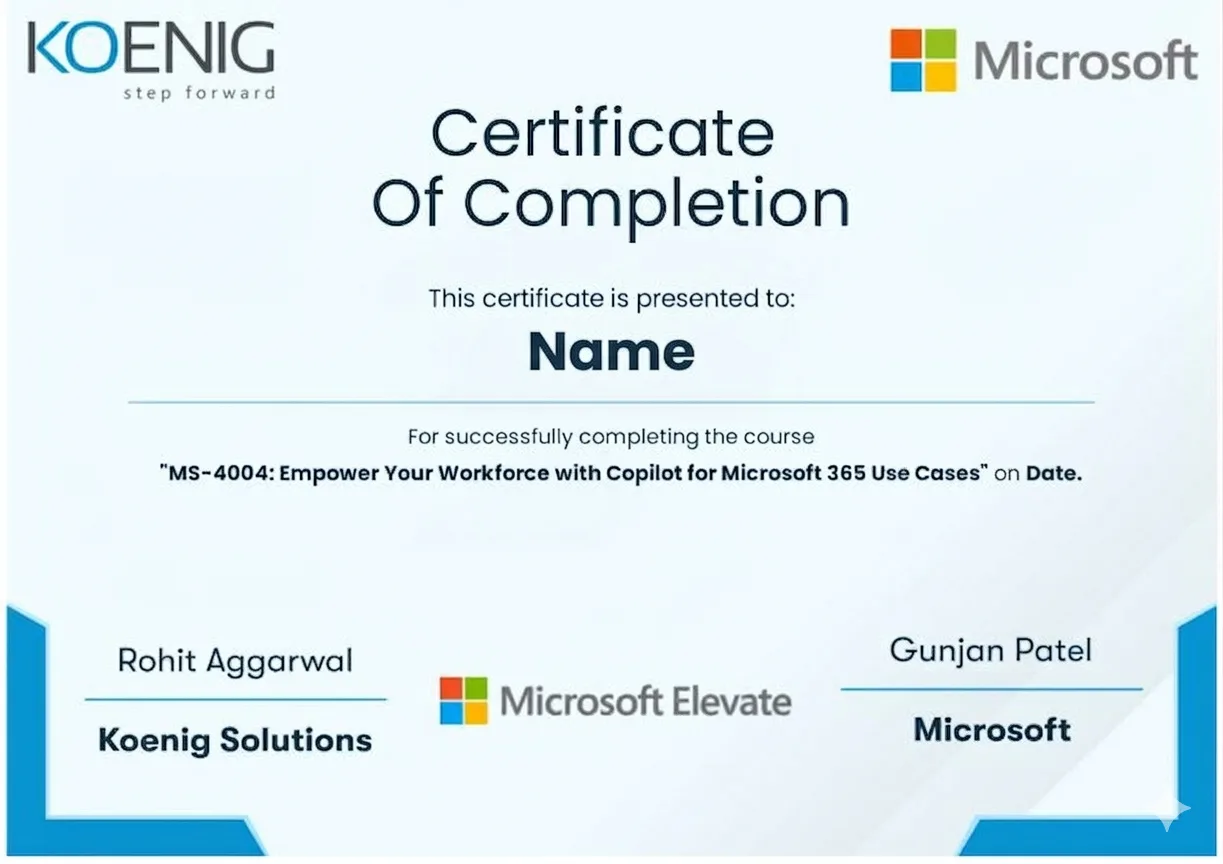
✦ Sample Certificate

Your Windows 11 Certification Awaits

See what your official Windows 11 certification looks like. Download a sample — then let our advisors map the fastest path to earning the real one.

Sample Windows 11 certification issued by Koenig Solutions — official Microsoft Authorized Learning Partner
🔒 Fill your details to unlock
Free · No credit card · Instant download
Learning Formats

Learning That Fits Your Life

Four formats. One quality standard. Every option comes with the same expert instructors, official courseware, and money-back guarantee.

Classroom Training Most Popular

Classroom Training

Traditional, instructor-led learning in popular global destinations.

Classroom Training

  • Hands-on lab sessions
  • Face-to-face with expert instructors
  • Global training centers
Live Online Classes Best Value

Live Online Classes

Flexible virtual learning with expert instructors from the comfort of your own space.

Live Online Classes

  • Live instructor-led sessions
  • Interactive Q&A & labs
  • Train from anywhere
Fly-Me-A-Trainer (FMAT) Fastest

Fly-Me-A-Trainer (FMAT)

Flexible on-site learning for larger groups. Fly an expert to your location anywhere in the world.

Fly-Me-A-Trainer (FMAT)

  • Expert trainer at your site
  • Custom schedule & pace
  • Any location worldwide
Flexi (Self-Paced) Most Flexible

Flexi (Self-Paced)

Self-paced learning with edited lectures, courseware, hands-on labs, and optional doubt clearing sessions.

Flexi (Self-Paced)

  • Edited video lectures
  • Hands-on labs & courseware
  • Optional doubt clearing sessions
1-on-1 Training Most Focused

1-on-1 Training

Dedicated instructor assigned exclusively to you for maximum personalisation and knowledge retention.

1-on-1 Training

  • Personalised schedule
  • Instructor adapts to your pace
  • Max knowledge retention
Customised Programmes Bespoke

Customised Programmes

Bespoke curricula tailored to your tech stack, business processes, and learning goals.

Customised Programmes

  • Custom course content
  • Fits your tech stack
  • Aligned to business goals
Webinar as a Service New

Webinar as a Service

Professionally hosted live webinars delivered to your global workforce at scale.

Webinar as a Service

  • Global workforce delivery
  • Live hosted sessions
  • Scalable & trackable
Qubits Assessment

Qubits

AI-powered assessments to benchmark skills, identify gaps, and measure training ROI.

Qubits

  • Skill benchmarking
  • Gap identification
  • Training ROI measurement
The Honest Comparison
How Koenig Stacks Up Against Every Alternative

Every factor that determines whether you actually pass your Windows 11 exam — rated across every training format available.

Koenig
Official ALP Partner
12
/12 criteria ✓
ALP Provider
Other authorised partner
5
/12 criteria
Legacy Provider
Traditional classroom
2
/12 criteria
Self-Paced Platform
On-demand video
2
/12 criteria
Free Platform
Self-study / free tier
4
/12 criteria
Criteria Koenig Free Platform Self-Paced Platform ALP Provider Legacy Provider Note
Trainer Quality
MCT-Certified Trainers
Live Instructor-Led
1-on-1 Private Training Partial Partial
Microsoft Authorization
Official Microsoft ALP Status ✖ (Self-study only)
Official Microsoft Courseware
ESI / EA Credits Accepted
Flexibility & Access
Any-Day / Flexi Start
On-Site / Fly-Me Trainer Partial Partial
Global Delivery Reach
Results & Trust
Official Microsoft Practice Labs (MD-102)
Entry Price (Fundamentals)* ~$199 $0 $15-30/mo ~$745 ~$1,500+
Verified Learner Reviews 18,400+ · 4.9★ N/A N/A 100,000+ · 4.8★ Limited Row omitted on live page: unverified for this vendor

Data sourced from public pricing pages and review platforms. Accurate as of March 2026. Partial = available in select regions only.

Recognition

Awards & Recognition

Recognized by global vendors and quality bodies for training excellence

10+
Awards & Certifications
6+
Global Partners
15 Yrs
Great Place to Work
Microsoft Partner of Year
Winner of Microsoft Training Services Partner of the Year Award

Winner of Microsoft Training Services Partner of the Year Award

2025
Winner of Microsoft's ANZ Superstar Campaign

Winner of Microsoft's ANZ Superstar Campaign

2024
Winner of Microsoft's Asia Superstar Campaign

Winner of Microsoft's Asia Superstar Campaign

2022
Finalist – AWS Partner of the Year

Finalist – AWS Partner of the Year

2024
Winner of EC-Council ATC of the Year Award

Winner of EC-Council ATC of the Year Award

2024
Winner of the PECB Titanium Partner Award

Winner of the PECB Titanium Partner Award

2024
Certified as a Great Place to Work
Great Place to Work

Certified as a Great Place to Work

2011–2025
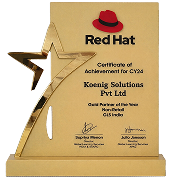
Winner of RedHat Gold Partner of the Year – Non-Retail (GLS India)

Winner of RedHat Gold Partner of the Year – Non-Retail (GLS India)

2025
Winner of RedHat Gold Partner of the Year – Non-Retail (GLS India)

Winner of RedHat Gold Partner of the Year – Non-Retail (GLS India)

2024
Winner of the Red Hat Partner of the Year Award

Winner of the Red Hat Partner of the Year Award

2023
Reviews

What our 500K+ alumni say

Verified reviews from learners certified on Azure, AI, Security, and more.

18,400+
Verified Reviews
4.9 / 5
Average Rating
95%
Would Recommend
1M+
Professionals Trained
  • ★★★★★

    “Passed AZ-104 on first attempt. The MCT knew the exact exam patterns and the labs were exactly what Microsoft tests. Worth every penny.”

    Rahul M.

    Rahul M.

    Azure Administrator

    AZ-104 Certified

    ✓ Verified
  • ★★★★★

    “I trained 15 of my team members for SC-200. Koenig’s on-site delivery was seamless and all 15 passed within 3 months.”

    Sarah K.

    Sarah K.

    CISO, Financial Services

    Enterprise Client

    ✓ Verified
  • ★★★★★

    “The 1-on-1 format was a game changer. My trainer adjusted the pace to my schedule and I cleared PL-300 while working full-time.”

    Ahmed R.

    Ahmed R.

    Business Intelligence Lead

    PL-300 Certified

    ✓ Verified
  • ★★★★★

    “Passed AZ-104 on first attempt. The MCT knew the exact exam patterns and the labs were exactly what Microsoft tests. Worth every penny.”

    Rahul M.

    Rahul M.

    Azure Administrator

    AZ-104 Certified

    ✓ Verified
  • ★★★★★

    “I trained 15 of my team members for SC-200. Koenig’s on-site delivery was seamless and all 15 passed within 3 months.”

    Sarah K.

    Sarah K.

    CISO, Financial Services

    Enterprise Client

    ✓ Verified
  • ★★★★★

    “The 1-on-1 format was a game changer. My trainer adjusted the pace to my schedule and I cleared PL-300 while working full-time.”

    Ahmed R.

    Ahmed R.

    Business Intelligence Lead

    PL-300 Certified

    ✓ Verified
  • ★★★★★

    “From AZ-900 to AZ-305 in 6 months. Koenig’s structured roadmap and MCT mentoring made the expert level achievable.”

    Priya S.

    Priya S.

    Cloud Solutions Architect

    AZ-305 Expert

    ✓ Verified
  • ★★★★★

    “As an L&D head I’ve used 5 training vendors. Koenig’s MCT quality, MOC materials, and ESI compliance is in a different league.”

    James T.

    James T.

    Head of L&D, UK Enterprise

    100+ Learners Trained

    ✓ Verified
  • ★★★★★

    “SC-900 and SC-300 back to back — both cleared first try. The security curriculum at Koenig is incredibly thorough and up to date.”

    Aisha N.

    Aisha N.

    Security Analyst

    SC-300 Certified

    ✓ Verified
  • ★★★★★

    “From AZ-900 to AZ-305 in 6 months. Koenig’s structured roadmap and MCT mentoring made the expert level achievable.”

    Priya S.

    Priya S.

    Cloud Solutions Architect

    AZ-305 Expert

    ✓ Verified
  • ★★★★★

    “As an L&D head I’ve used 5 training vendors. Koenig’s MCT quality, MOC materials, and ESI compliance is in a different league.”

    James T.

    James T.

    Head of L&D, UK Enterprise

    100+ Learners Trained

    ✓ Verified
  • ★★★★★

    “SC-900 and SC-300 back to back — both cleared first try. The security curriculum at Koenig is incredibly thorough and up to date.”

    Aisha N.

    Aisha N.

    Security Analyst

    SC-300 Certified

    ✓ Verified
  • ★★★★★

    “AI-102 was daunting but the trainer broke it down perfectly. Real Azure OpenAI labs made the difference. Highly recommend.”

    David L.

    David L.

    AI Engineer

    AI-102 Certified

    ✓ Verified
  • ★★★★★

    “DP-600 Fabric certification done in 3 weeks of part-time study. The customised schedule around my timezone was a lifesaver.”

    Mei W.

    Mei W.

    Data Platform Engineer

    DP-600 Certified

    ✓ Verified
  • ★★★★★

    “Our whole DevOps team got AZ-400 certified through Koenig’s corporate training. Smooth logistics and top-tier MCTs throughout.”

    Carlos R.

    Carlos R.

    Engineering Manager

    AZ-400 Team Training

    ✓ Verified
  • ★★★★★

    “AI-102 was daunting but the trainer broke it down perfectly. Real Azure OpenAI labs made the difference. Highly recommend.”

    David L.

    David L.

    AI Engineer

    AI-102 Certified

    ✓ Verified
  • ★★★★★

    “DP-600 Fabric certification done in 3 weeks of part-time study. The customised schedule around my timezone was a lifesaver.”

    Mei W.

    Mei W.

    Data Platform Engineer

    DP-600 Certified

    ✓ Verified
  • ★★★★★

    “Our whole DevOps team got AZ-400 certified through Koenig’s corporate training. Smooth logistics and top-tier MCTs throughout.”

    Carlos R.

    Carlos R.

    Engineering Manager

    AZ-400 Team Training

    ✓ Verified

Got Questions? We've Got Answers.

Everything you need to know about Windows 11 certification training with Koenig Solutions.

Windows 11 is a client operating system from Microsoft, built on the foundation of Windows 10 with enhanced productivity and security features. Key components include Snap Layouts, Windows Security app, Microsoft Defender Antivirus, Windows Hello for Business, Windows Autopilot, and support for Android apps via the Windows Subsystem for Android.
Windows 11 training at Koenig is designed for IT professionals such as Desktop Support Technicians, Endpoint Administrators, and Systems Administrators managing enterprise environments. It suits those with prior experience in Windows 10 and Microsoft 365 services who aim to modernize endpoint management using cloud tools like Intune and Entra ID.

Learners should have working knowledge of Windows 10, Microsoft Entra ID, and basic device management concepts. Familiarity with Microsoft Intune, PowerShell, and security policies is recommended. No formal certification is required, but hands-on experience with deploying or troubleshooting Windows clients ensures better comprehension of course material.
Koenig's Windows 11 training prepares learners for the Microsoft MD-102: Endpoint Administrator certification exam. The exam validates skills in deploying and managing Windows 11 clients using Microsoft Intune, implementing identity and compliance policies, securing endpoints, managing applications, and optimizing operations through automation and reporting.
The MD-102 exam consists of 40–60 questions, including multiple-choice, drag-and-drop, and scenario-based case studies, with a duration of 120 minutes. A scaled score of 700 out of 1000 is required to pass, and the certification is valid for one year, renewable via a free online assessment on Microsoft Learn.
The Windows 11 training runs for 16 hours over two days and is delivered in live online, classroom, 1-on-1, private batch, and self-paced flexi formats. All public batches are guaranteed to run, and learners can choose dedicated instructor-led sessions or access recorded content with 6 months of lab access.
Still have questions?
Talk to a Windows 11 certification advisor — free, no obligation.
WhatsApp Us

Training Professionals
Across 50+ Countries

From our headquarters in India to training centers across UAE, Iraq, Saudi Arabia, UK, USA, Singapore, Australia, and more — Koenig delivers Microsoft certification training in 50+ countries.

50+
Countries
500K+
Trained
33+
Years
95%
Pass Rate
Koenig training locations worldwide